
Bulk remove users from a custom list — up to 25 per call, or 500 with async=true.
API at a glance
Description: This API removes multiple users from a custom user list in a single request — up to 25 users per call, or up to 500 with async=true.
Authentication & testing
Testing the API on this page
How to try it here
- Use your User API Key as the Username (leave Password blank).
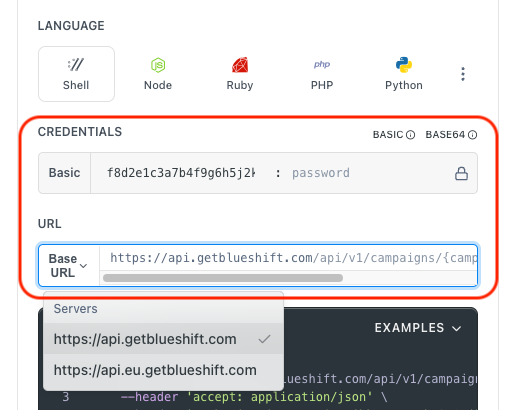
- Select the appropriate API endpoint based on your Blueshift region.
- Enter the necessary parameters and click Try It to run the request.
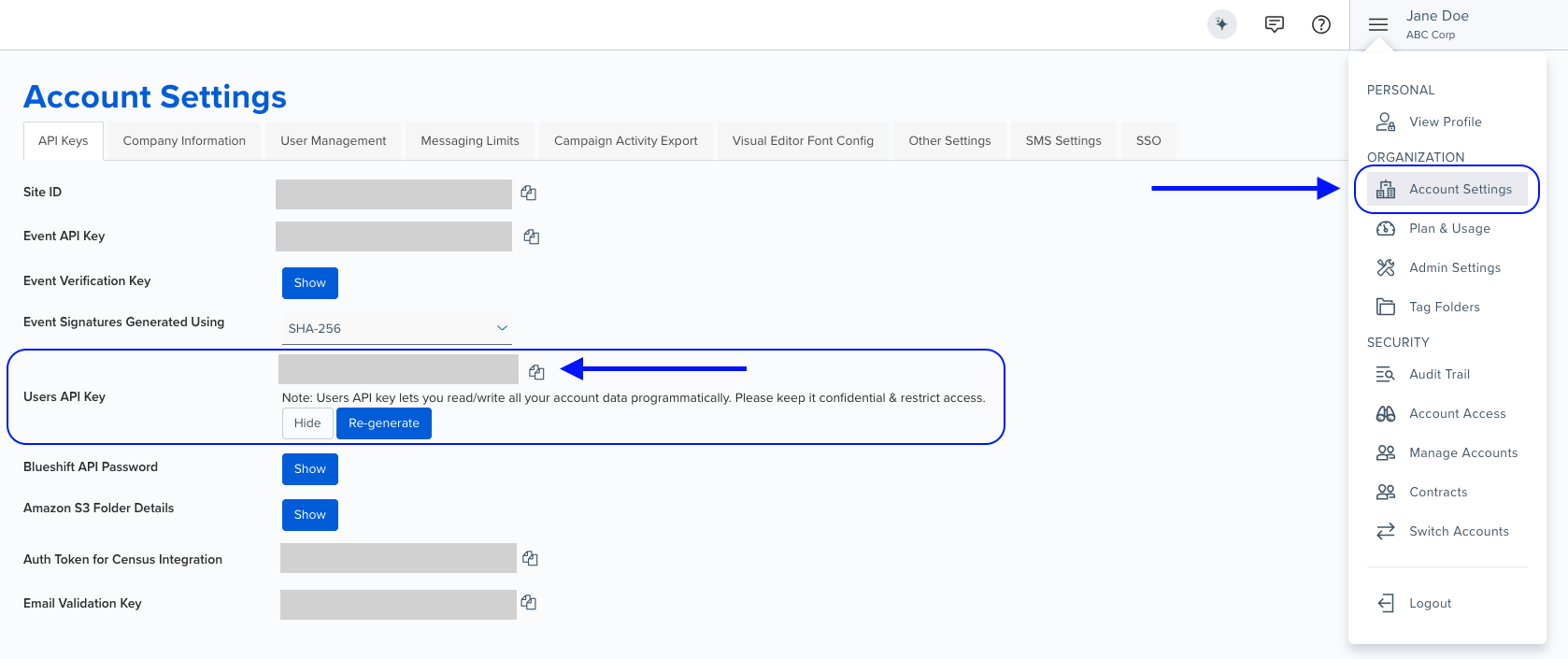
Authentication using Base64 encoding
Note for developers
API requests require authentication using HTTP Basic Authentication with an API key.
The API key serves as the username, while the password field should be left empty.
The format to encode is: your_api_key: (note the trailing colon).
This string must be Base64-encoded and included in the request's Authorization header as follows:
Authorization: Basic encoded_valueYou can generate the encoded value using a trusted Base64 encoder.
Postman collection
Try it with Postman: Explore the API using Blueshift's Postman collection.
Things to know before you start
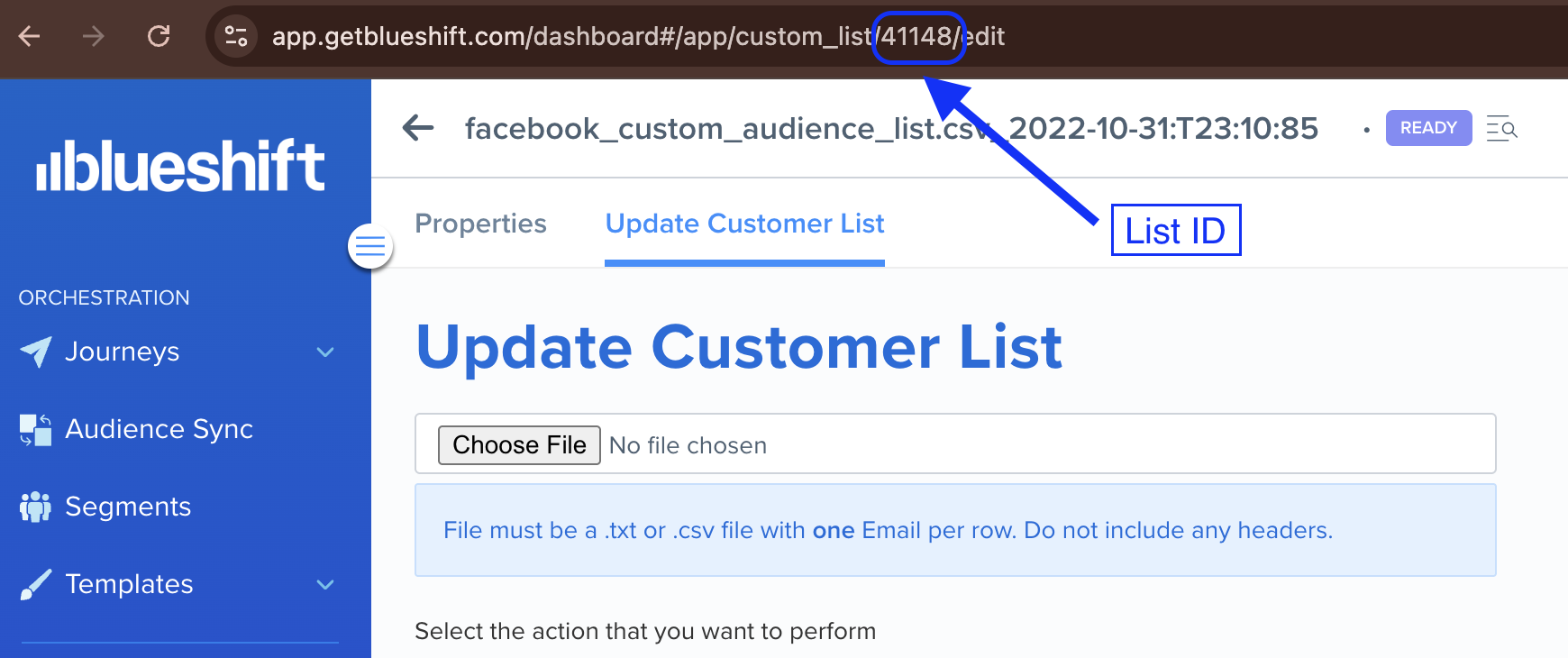
- List ID required: Obtain the list ID from the Create empty list response or from the Blueshift dashboard.
You can find the list ID in the URL when viewing a custom user list in the Blueshift app. For example, if you open a custom user list in the Blueshift app, its URL looks like https://app.getblueshift.com/dashboard#/app/custom_list/<LIST_ID>/edit.
- Batch limit: Maximum 25 users per API call in sync mode. Set the
asyncquery parameter totrueto send up to 500 users per API call. - Async mode: In async mode, the request runs in the background after it is accepted. The response format is the same in both modes.
- Identifier types: Use
emailorcustomer_idto identify users.
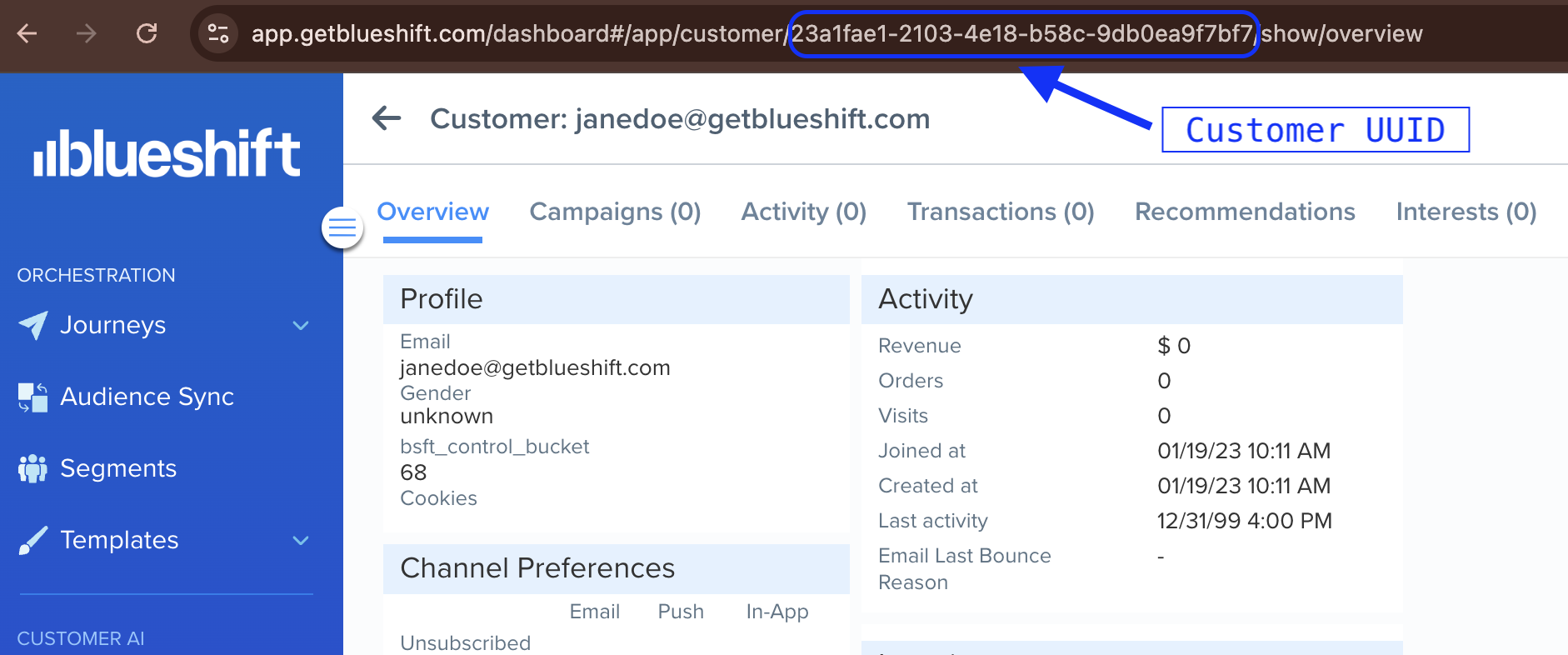
Finding the customer UUID > >You can find the customer UUID in the URL when viewing a customer profile in the Blueshift app. For example, if you open a customer profile in the Blueshift app, its URL looks like
https://app.getblueshift.com/dashboard#/app/customer/<CUSTOMER_UUID>/show/overview.
- Use case: Best for removing multiple users from custom lists, bulk list updates, and managing targeted audience segments.
Request parameters
Check out the request parameters
Path parameters
| Parameter | Type | Required | Description |
|---|---|---|---|
list_id | integer | ✅ Yes | ID of the list to remove users from. |
Query parameters
| Parameter | Type | Required | Description |
|---|---|---|---|
async | boolean | ❌ No | Set to true to remove users asynchronously and send up to 500 identifier values per API call. Omit or set to false for sync mode (maximum 25). |
Body parameters
| Parameter | Type | Required | Description |
|---|---|---|---|
identifier_key | string | ✅ Yes | Identifier type: email or customer_id. |
identifier_values | array | ✅ Yes | Array of identifier values (email addresses or customer IDs). Maximum 25 in sync mode, 500 in async mode. |
Example requests & responses
Bulk remove users by email
{
  "identifier_key": "email",
  "identifier_values": [
    "[email protected]",
    "[email protected]",
    "[email protected]"
  ]
}
{
"status": "ok",
"errors": []
}Bulk remove users by customer ID
{
  "identifier_key": "customer_id",
  "identifier_values": [
    "23a1fae1-2103-4e18-b58c-9db0ea9f7bf7",
    "35b2gbf2-3214-5f29-c69d-0ec1fb0g8cg8",
    "46c3hcg3-4325-6g30-d70e-1fd2gc1h9dh9"
  ]
}
{
"status": "ok",
"errors": []
}Bulk remove users asynchronously
Append ?async=true to the request URL to remove up to 500 users in one API call. The request runs in the background after it is accepted.
  curl --request PUT \
       --url 'https://api.getblueshift.com/api/v1/custom_user_lists/bulk_remove_users_from_list/{list_id}?async=true' \
       --header 'accept: application/json' \
       --header 'authorization: Basic <encoded_api_key>' \
       --header 'content-type: application/json' \
       --data '{
    "identifier_key": "email",
    "identifier_values": [
      "[email protected]",
      "[email protected]"
    ]
  }'
{
"status": "ok",
"errors": []
}
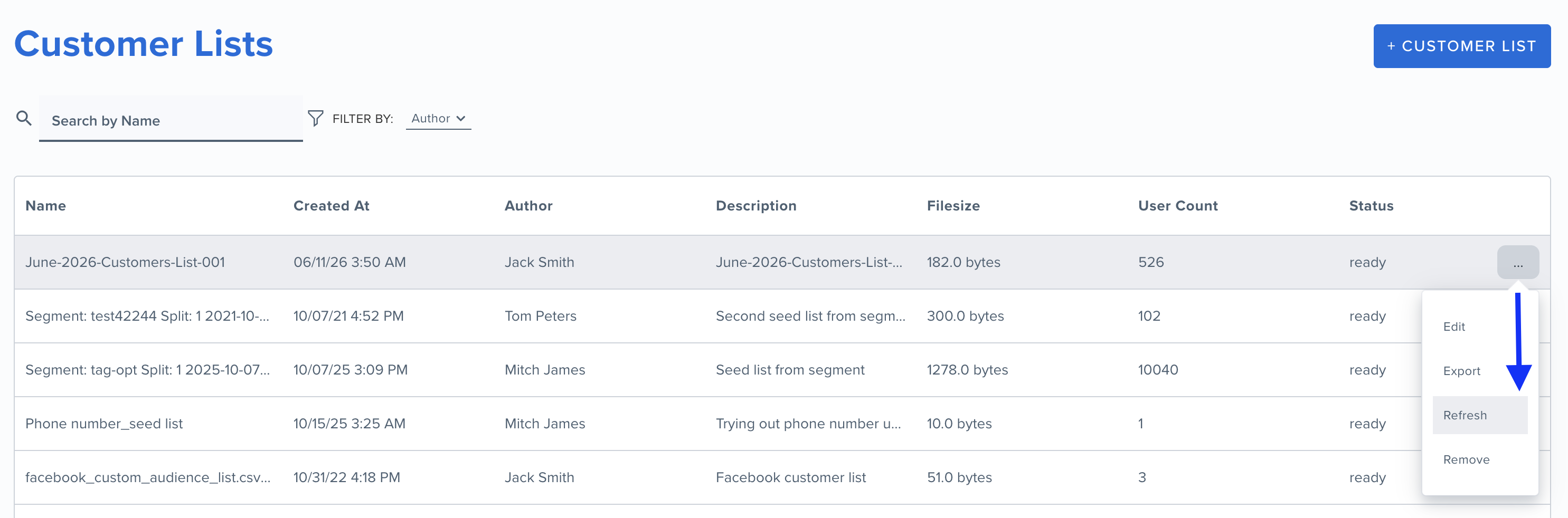
List updates after an async requestAfter an async request, the list can take a few minutes to update. To get the updated user count, go to the Customer Lists page, click the more options (...) icon for the list, and click Refresh.
Exceeding the batch limit
If the number of identifier values exceeds the limit for the mode — 25 in sync mode or 500 in async mode — the API returns a 413 error.
{
  "error": "You can remove maximum 25 users in one api call"
}
{
"error": "You can remove maximum 500 users in one async api call"
}The list has been deleted.
Functionality not supported for old list.
Rate limit exceeded - Too many requests
Internal Server Error - Please contact blueshift for more information
Service unavailable, please retry - Bad Gateway, re-try with exponential backoff
Service unavailable, please retry - Service Unavailable, re-try with exponential backoff
Service unavailable, please retry - Gateway Timeout, please re-try with exponential backoff