
Use this endpoint to validate up to 30 email addresses. This feature requires custom setup. Contact Blueshift Support or your CSM to enable it.
API at a glance
Description: This API allows you to validate multiple email addresses (up to 30 email addresses) in a single request. It helps you identify risky or invalid addresses before launching campaigns at scale.
Validation logic & best practices
Authentication & testing - Email validation
Testing the API on this page
How to try it here
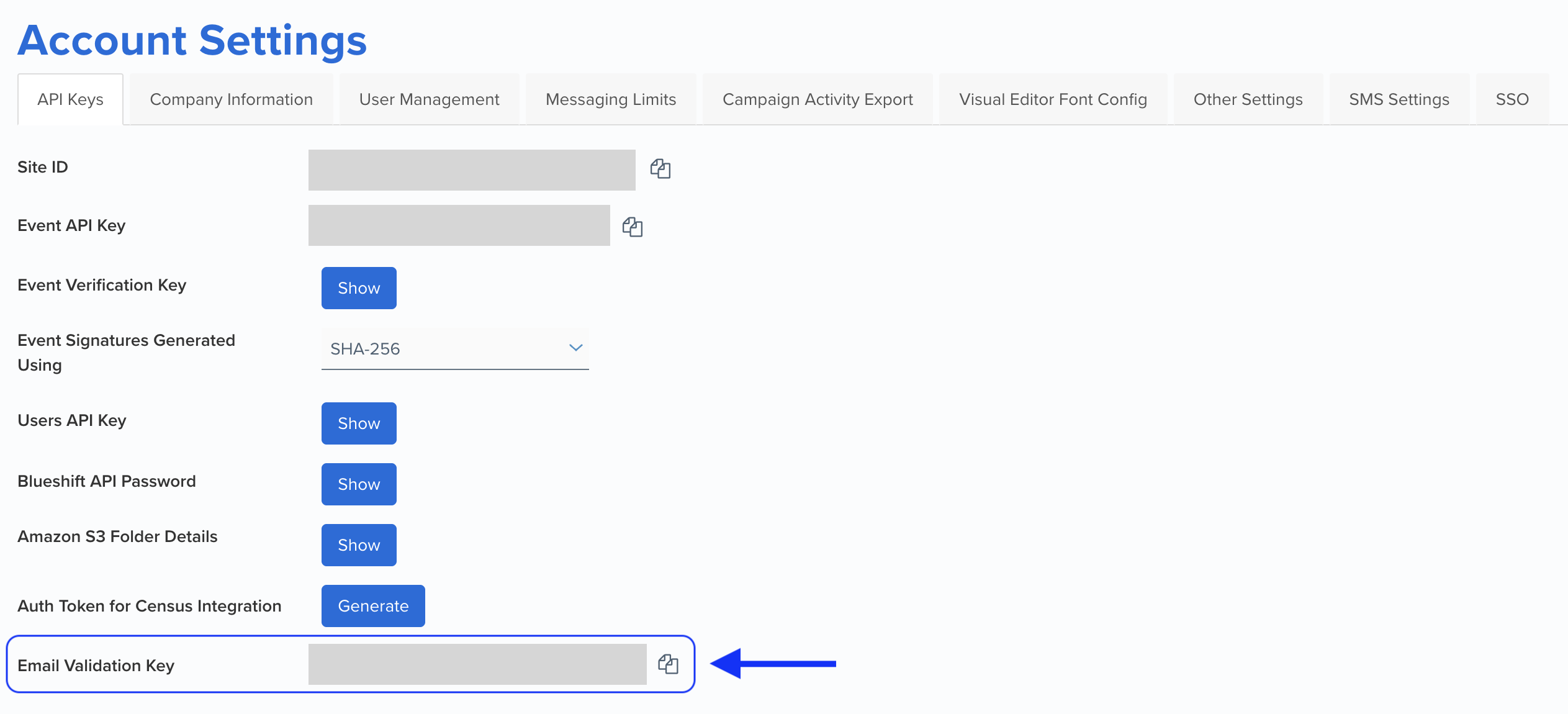
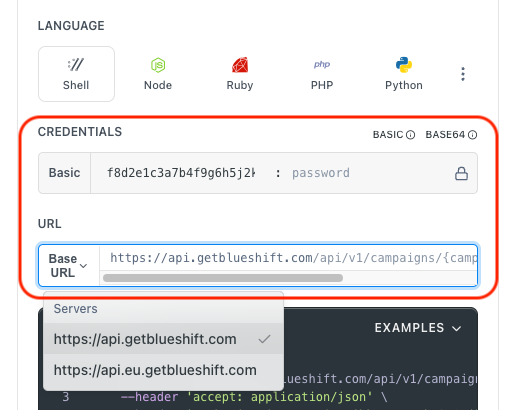
- Use your Email Validation Key as the Username (leave Password blank).
- Select the appropriate API endpoint based on your Blueshift region.
- Enter the necessary parameters and click Try It to run the request.
Authentication using Base64 encoding
Note for developers
API requests require authentication using HTTP Basic Authentication with the Email Validation Key (contact your CSM for this key).
The Email Validation Key serves as the username, while the password field should be left empty.
The format to encode is: your_api_key: (note the trailing colon).
This string must be Base64-encoded and included in the request's Authorization header as follows:
Authorization: Basic encoded_valueYou can generate the encoded value using a trusted Base64 encoder.
Postman collection
Try it with Postman: Explore the API using Blueshift's Postman collection.
Things to know before you start
- You can validate up to 30 email addresses per request.
- The API returns an array of results with individual validation data.
- Requests exceeding 30 emails will return a
413 Payload Too Largeerror. - The maximum request rate may be limited based on account settings.
Request parameters
Check out the request parameters
Bulk validation parameters
| Parameter | Type | Required | Description |
|---|---|---|---|
emails | string[] | ✅ Yes | An array of email addresses to validate. Example: ["[email protected]", "[email protected]"](Maximum: 512 characters) |
Example requests & responses
Request example
  curl --request POST \
       --url https://api.getblueshift.com/api/v1/emails/bulk_validate \
       --header 'accept: application/json' \
       --header 'authorization: Basic YWNlZDZlNGYxMWExYWVhOTZmNTJkNDg4M2ZmMjI4Mjg6' \
       --header 'content-type: application/json' \
       --data '
  {
    "emails": [
      "[email protected]",
      "[email protected]"
    ]
  }
'{
"result": [
{
"[email protected]": {
"address": "[email protected]",
"engagement": {
"engaging": true,
"is_bot": false
},
"is_disposable_address": false,
"is_role_address": false,
"reason": [],
"result": "deliverable",
"risk": "low"
}
},
{
"[email protected]": {
"address": "[email protected]",
"engagement": {
"engaging": false,
"is_bot": false
},
"is_disposable_address": true,
"is_role_address": false,
"reason": ["disposable"],
"result": "invalid",
"risk": "high"
}
}
]
}API error responses
| Status code | Description | Example response |
|---|---|---|
| 400 Bad Request | Missing or malformed payload. | { "errors": { "emails": ["must be an array of strings"] } } |
| 401 Unauthorized | API authentication failed due to an invalid or missing API key. | { "message": "Not authorized" } |
| 403 Forbidden | The API key does not have sufficient permissions. | { "message": "Permission denied" } |
| 404 Not Found | The requested API endpoint does not exist. | { "message": "Endpoint not found" } |
| 413 Payload Too Large | More than 30 email addresses were submitted. | { "message": "You can validate a maximum of 30 emails in one API call." } |
| 429 Too Many Requests | The request limit has been exceeded. | { "message": "Rate limit exceeded" } |
| 500 Internal Server Error | An unexpected server error occurred. | { "message": "Internal Server Error - Please contact support for more information." } |
| 502 Bad Gateway | The server received an invalid response. | { "message": "Bad Gateway - Please retry the request." } |
| 503 Service Unavailable | The service is temporarily unavailable. | { "message": "Service Unavailable - Try again later." } |
| 504 Gateway Timeout | The server took too long to respond. | { "message": "Gateway Timeout - Retry with exponential backoff." } |