
Use this endpoint to unarchive a specific campaign by its UUID.
API at a glance
Description: This API allows you to unarchive a specific campaign by its UUID. Unarchived campaigns are restored to the main campaign list and become active again.
Authentication & testing
Testing the API on this page
How to try it here
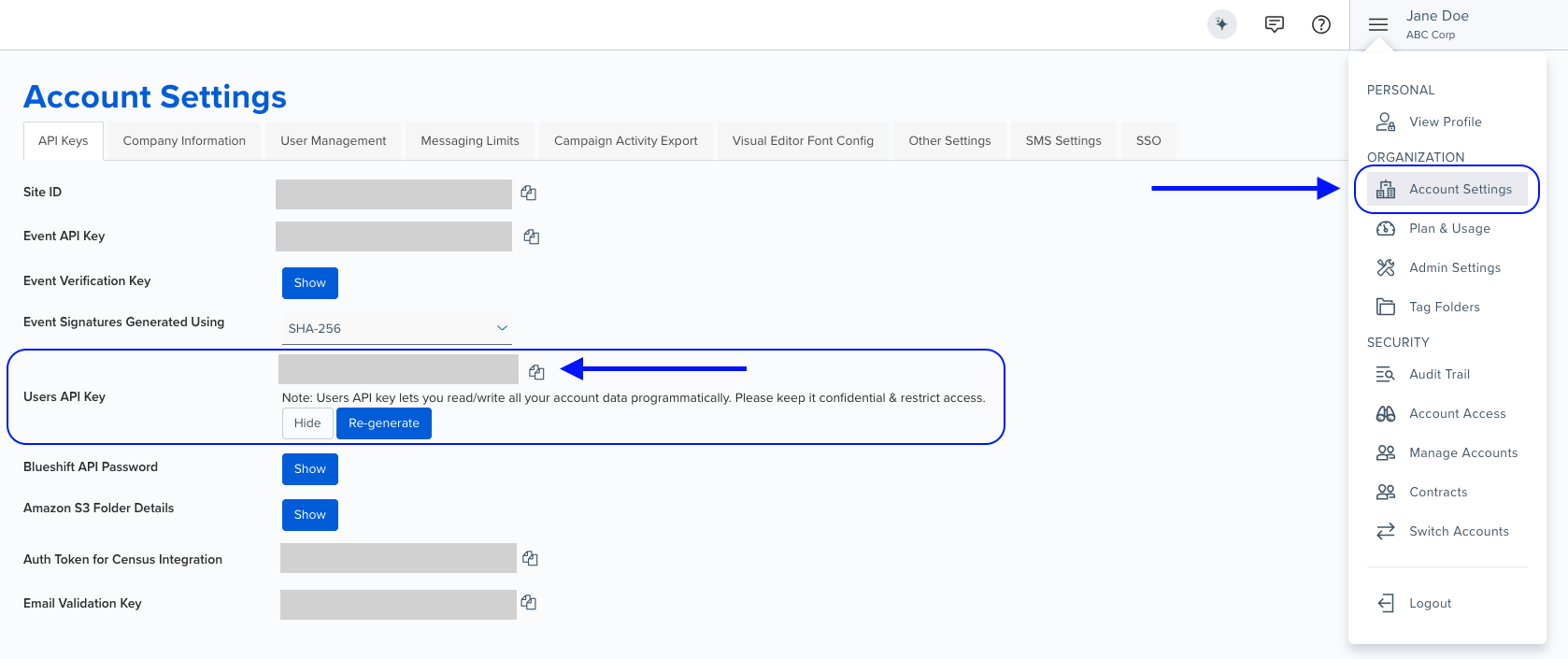
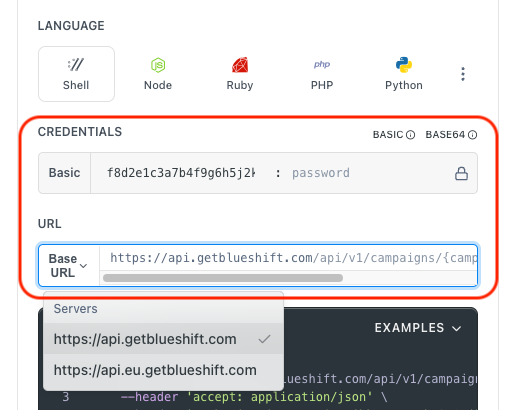
- Use your User API Key as the Username (leave Password blank).
- Select the appropriate API endpoint based on your Blueshift region.
- Enter the necessary parameters and click Try It to run the request.
Authentication using Base64 encoding
Note for developers
API requests require authentication using HTTP Basic Authentication with an API key.
The API key serves as the username, while the password field should be left empty.
The format to encode is: your_api_key: (note the trailing colon).
This string must be Base64-encoded and included in the request's Authorization header as follows:
Authorization: Basic encoded_valueYou can generate the encoded value using a trusted Base64 encoder.
Postman collection
Try it with Postman: Explore the API using Blueshift's Postman collection.
Things to know before you start
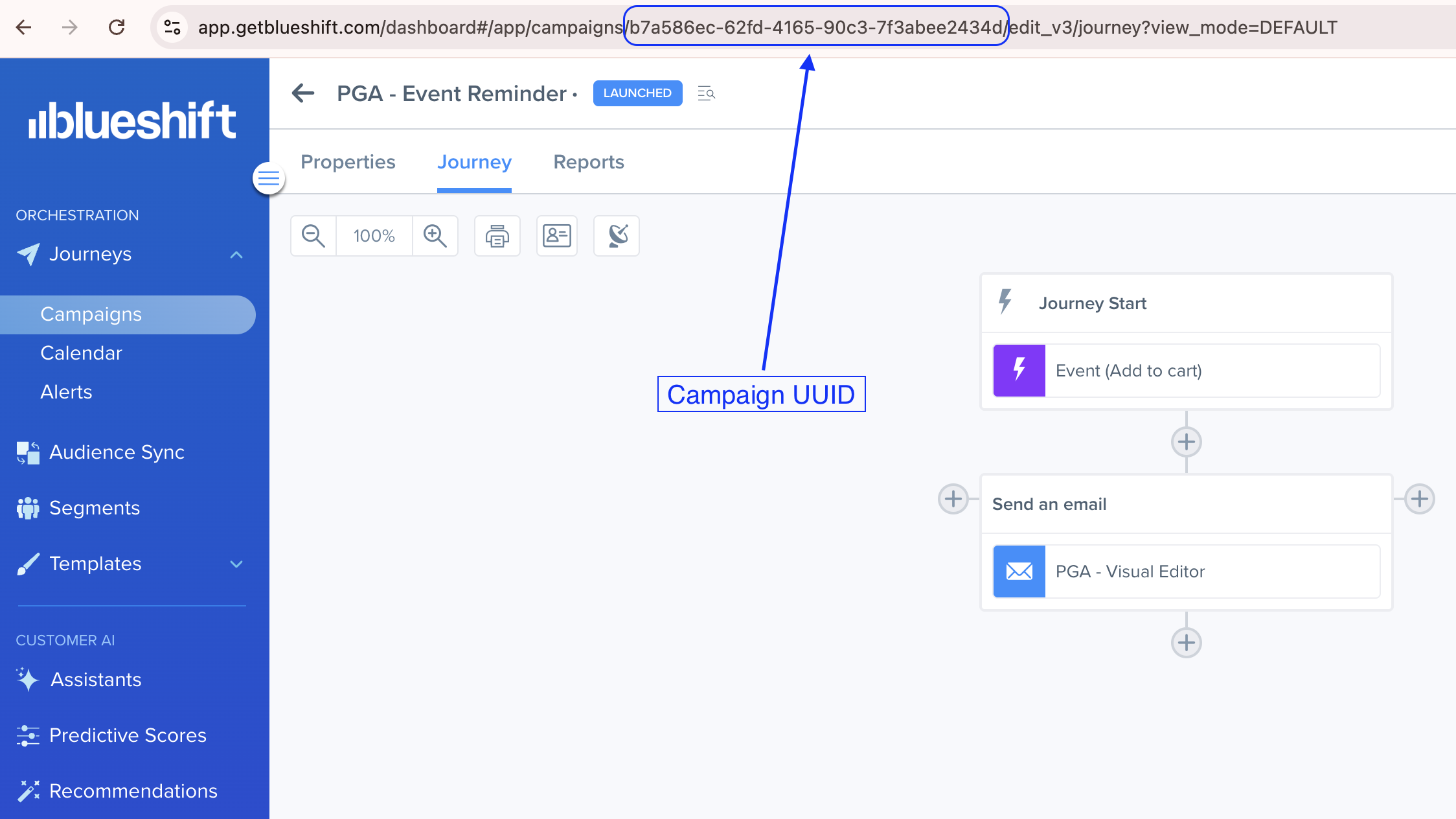
- Campaign UUID: You need the UUID of the campaign you want to unarchive.
- Restores archived campaigns: This endpoint reverses the archive action, making the campaign visible and active again.
- No request body: This endpoint does not require a request body.
- Use case: Best for restoring previously archived campaigns that need to be reactivated or reviewed.
Finding the campaign UUIDThe campaign UUID is visible in the browser's address bar when you open a campaign. For example:
https://app.getblueshift.com/dashboard#/app/campaigns/<CAMPAIGN_UUID>/edit_v3/journey
Archiving and unarchiving campaigns
Learn more:
Request parameters
Check out the request parameters
Path parameters
| Parameter | Type | Required | Description |
|---|---|---|---|
campaign_uuid | string | ✅ Yes | Specify the UUID of the campaign to unarchive. |
Example requests & responses
Unarchive a campaign
Request
curl --request PUT \
     --url https://api.getblueshift.com/api/v1/campaigns/a43b685d-65e3-5303-64d8-d4b4ab075b5f/unarchive \
     --header 'accept: application/json' \
     --header 'authorization: Basic <YOUR_API_KEY>'
Response
{
  "archived": false
}Bad request - Invalid parameters or request conditions.
Unauthorized - Invalid or missing API key.
Resource not found - The specified campaign UUID was not found.