
Use this endpoint to replace all existing promo codes in a promotion with a new set of codes.
API at a glance
Description: Replace all existing promo codes in a promotion with a new set of codes. This removes all current codes and replaces them with the codes provided in the request.
Authentication & testing
Testing the API on this page
How to try it here
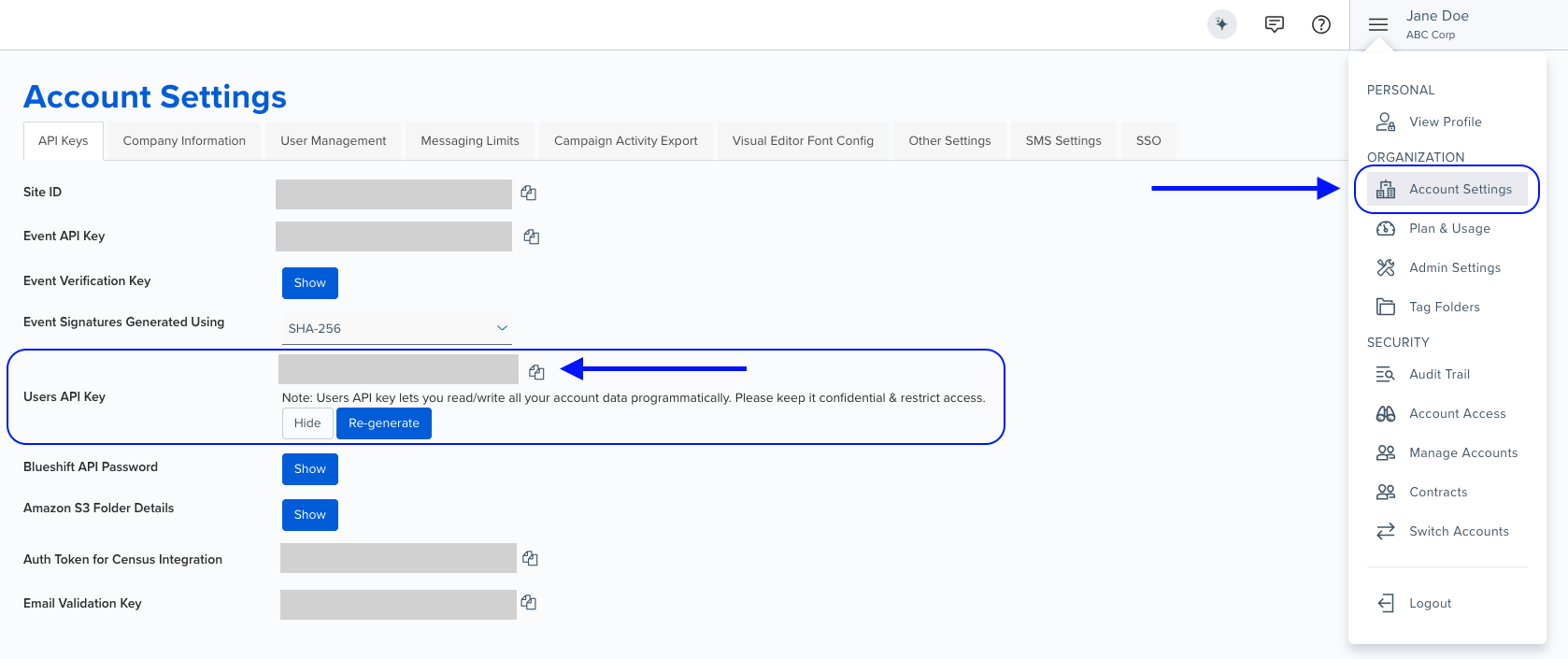
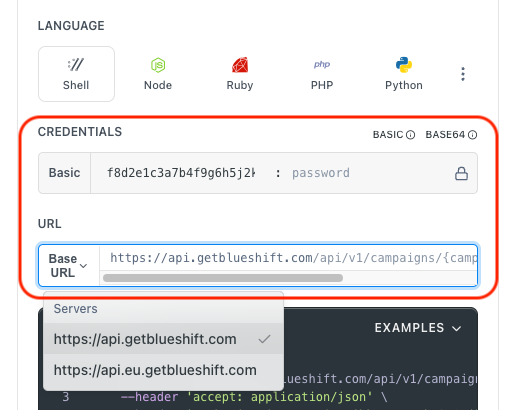
- Use your User API Key as the Username (leave Password blank).
- Select the appropriate API endpoint based on your Blueshift region.
- Enter the necessary parameters and click Try It to run the request.
Authentication using Base64 encoding
Note for developers
API requests require authentication using HTTP Basic Authentication with an API key.
The API key serves as the username, while the password field should be left empty.
The format to encode is: your_api_key: (note the trailing colon).
This string must be Base64-encoded and included in the request's Authorization header as follows:
Authorization: Basic encoded_valueYou can generate the encoded value using a trusted Base64 encoder.
Postman collection
Try it with Postman: Explore the API using Blueshift's Postman collection.
Number of promo codes in one requestThe API can update a maximum of 1000 promo codes per request. If an API call includes more than 1000 promo codes, a 400 error will be returned. To update more than 1000 promo codes, we recommend dividing them into multiple API calls.
Things to know before you start
- Replaces all codes: This endpoint removes ALL existing codes and replaces them with the new set. Use "Add promo codes" to append codes instead.
- 1000 code limit: Maximum 1000 codes per request. For larger batches, split into multiple API calls.
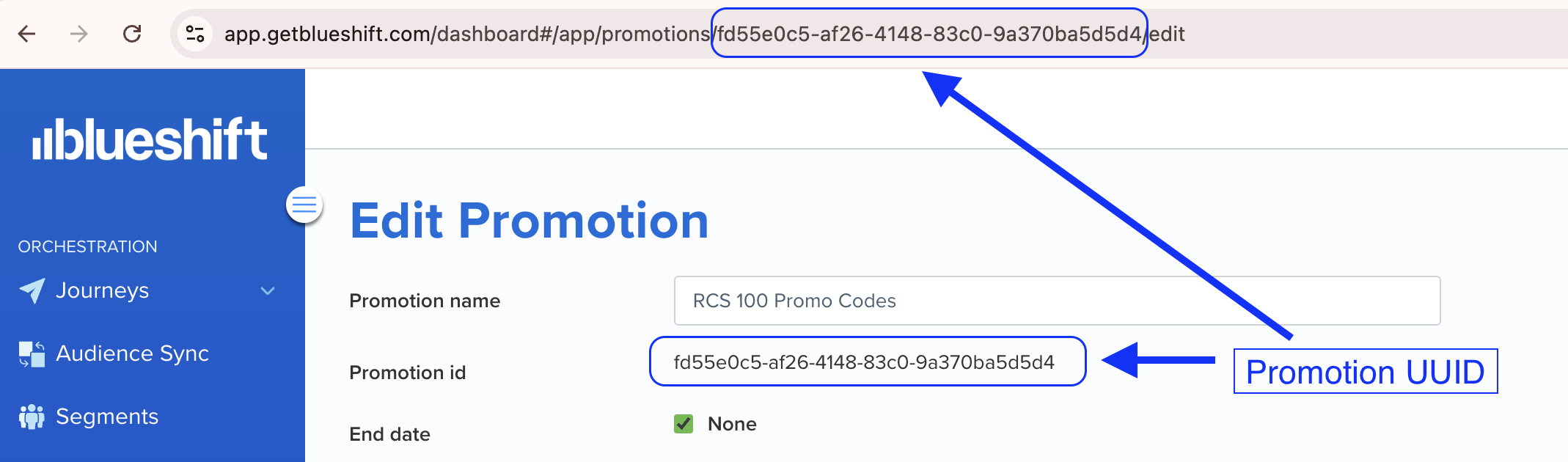
- Promotion UUID required: Get it from the promotion URL in Blueshift app or from the promotion id field.
Finding the promotion UUIDYou can find the promotion UUID in two places when viewing a promotion in the Blueshift app:
- In the URL:
https://app.getblueshift.com/dashboard#/app/promotions/<PROMOTION_UUID>/edit- In the Promotion id field on the promotion edit page
- Response counters: Returns
available_codes(unused) andtotal_codes(all codes in promotion after replacement). - Irreversible action: Previous codes are permanently removed. Consider backing up existing codes before overwriting.
Request parameters
Check out the request parameters
Path parameters
| Parameter | Type | Required | Description |
|---|---|---|---|
promotion_uuid | string | ✅ Yes | UUID of the promotion to overwrite codes in |
Body parameters
| Parameter | Type | Required | Description |
|---|---|---|---|
promocodes | array | ✅ Yes | Array of promo code strings to replace all existing codes (max 1000 codes) |
Example requests & responses
Overwrite with new promo codes
PUT /api/v1/promotions/a1b2c3d4-e5f6-7890-abcd-ef1234567890/overwrite{
"promocodes": [
"SUMMER2023",
"FALL2023",
"WINTER2023"
]
}{
"available_codes": 3,
"total_codes": 3
}Replace with large batch of codes
PUT /api/v1/promotions/a1b2c3d4-e5f6-7890-abcd-ef1234567890/overwrite{
"promocodes": [
"PROMO_001",
"PROMO_002",
"PROMO_003",
"...997 more codes...",
"PROMO_1000"
]
}{
"available_codes": 1000,
"total_codes": 1000
}Bad request - The request was invalid or cannot be otherwise served. An accompanying error message will explain further.
Unauthorized - Invalid or missing API key.
Resource not found - The specified promotion ID was not found.
Conflict error, please retry - The request could not be completed due to a conflict with the current state of the target resource, re-try with exponential backoff.
Internal Server Error - Please contact support for more information.
Bad Gateway - Please retry the request.
Service Unavailable - The service is temporarily unavailable. Try again later.
Gateway Timeout - The server took too long to respond. Retry with exponential backoff.