
Use this endpoint to unarchive multiple campaigns by providing an array of UUIDs.
API at a glance
Description: This API allows you to unarchive multiple campaigns at once by providing an array of campaign UUIDs. The response indicates which campaigns were successfully unarchived, already unarchived, blocked, or failed.
Authentication & testing
Testing the API on this page
How to try it here
- Use your User API Key as the Username (leave Password blank).
- Select the appropriate API endpoint based on your Blueshift region.
- Enter the necessary parameters and click Try It to run the request.
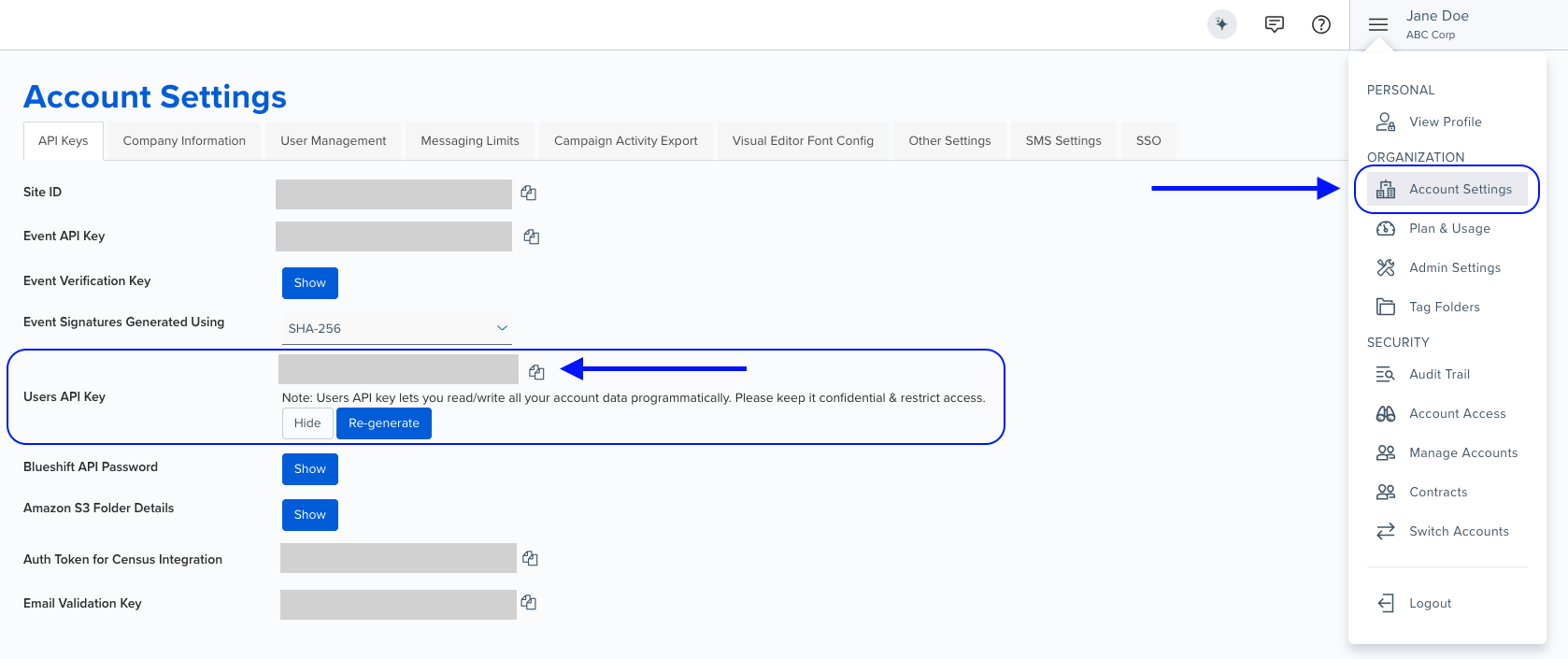
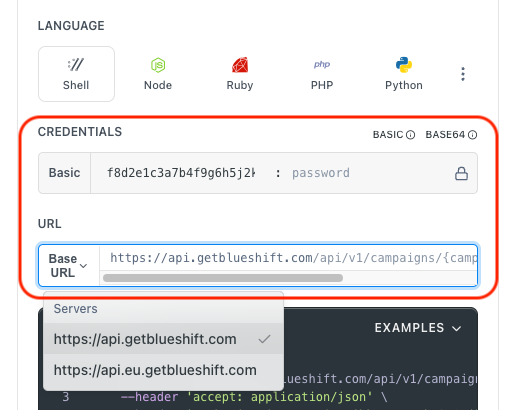
Authentication using Base64 encoding
Note for developers
API requests require authentication using HTTP Basic Authentication with an API key.
The API key serves as the username, while the password field should be left empty.
The format to encode is: your_api_key: (note the trailing colon).
This string must be Base64-encoded and included in the request's Authorization header as follows:
Authorization: Basic encoded_valueYou can generate the encoded value using a trusted Base64 encoder.
Postman collection
Try it with Postman: Explore the API using Blueshift's Postman collection.
Things to know before you start
- Bulk operation: Unarchive multiple campaigns in a single API call.
- Campaign limit: You can unarchive up to 100 campaigns in a single request. If you need to process more than 100 campaigns, split them into smaller batches.
- Response categories: The API returns campaigns grouped by outcome:
successful,no_change(already unarchived),blocked(restricted), andfailed. - Partial success: Some campaigns may succeed while others fail. Check the response to see which campaigns were unarchived.
- Failed campaigns: If the response includes campaigns in the
failedarray, contact support for assistance. - Retrieving UUIDs: You can retrieve campaign UUIDs using the List Campaigns API.
- Use case: Best for batch operations like restoring multiple archived campaigns or reactivating seasonal campaigns.
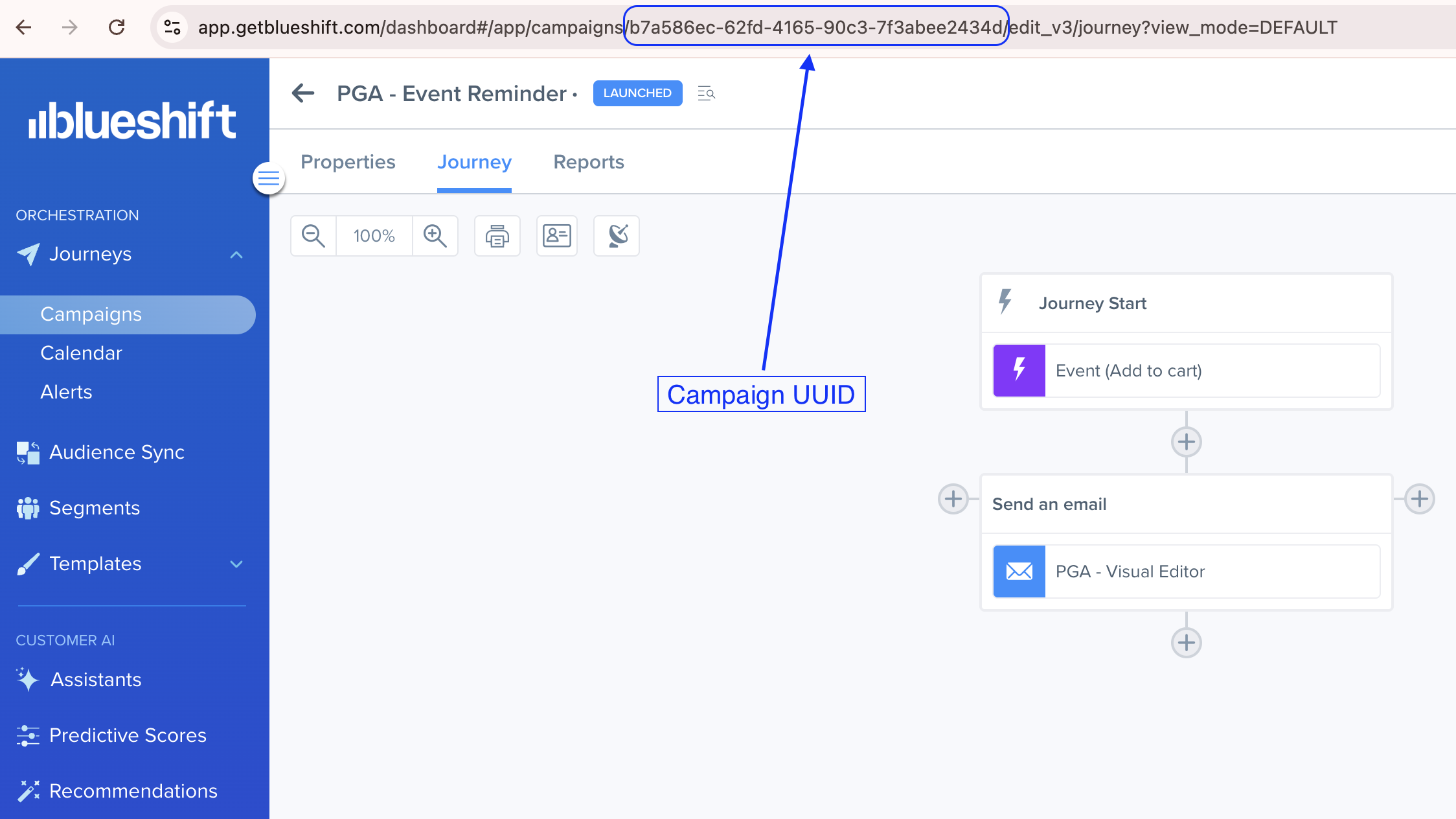
Finding the campaign UUIDThe campaign UUID is visible in the browser's address bar when you open a campaign. For example:
https://app.getblueshift.com/dashboard#/app/campaigns/<CAMPAIGN_UUID>/edit_v3/journey
Archiving and unarchiving campaigns
Learn more:
Request parameters
Check out the request parameters
Body parameters
| Parameter | Type | Required | Description |
|---|---|---|---|
uuid | array | ✅ Yes | List of campaign UUIDs to unarchive. |
Example requests & responses
Bulk unarchive campaigns
Request
curl --request PUT \
     --url https://api.getblueshift.com/api/v1/campaigns/bulk_unarchive \
     --header 'accept: application/json' \
     --header 'authorization: Basic <YOUR_API_KEY>' \
     --header 'content-type: application/json' \
     --data '{
       "uuid": [
         "7e3a2d1e-df8a-4d9c-95f2-a12f4d2f8e19",
         "c15f84be-a5d4-4a3c-8096-4c8de82b0df3",
         "f29d2345-4a6b-432d-a1de-5c3490f74f52",
         "1b5e9876-5c4d-476f-91a8-b43c9ad2e4d1",
         "e5d2a4f3-d5b4-44a6-803e-8d547c3cdb78"
       ]
     }'
Response
{
  "no_change": [],
  "blocked": [],
  "successful": [
    {
      "uuid": "7e3a2d1e-df8a-4d9c-95f2-a12f4d2f8e19",
      "name": "Holiday Sale Campaign"
    },
    {
      "uuid": "c15f84be-a5d4-4a3c-8096-4c8de82b0df3",
      "name": "Back-to-School Promotion"
    },
    {
      "uuid": "f29d2345-4a6b-432d-a1de-5c3490f74f52",
      "name": "Summer Discounts Campaign"
    },
    {
      "uuid": "1b5e9876-5c4d-476f-91a8-b43c9ad2e4d1",
      "name": "Winter Clearance Sale"
    },
    {
      "uuid": "e5d2a4f3-d5b4-44a6-803e-8d547c3cdb78",
      "name": "Black Friday Deals"
    }
  ],
  "failed": []
}Bad request - Invalid parameters or request conditions.
Unauthorized - Invalid or missing API key.
Resource not found - One or more campaigns not found.