
post
https://api.getblueshift.com/api/v1/email_templates/test_send.json
Use this endpoint to send a test mail to a specific email address.
API at a glance
Description: This API sends a test email to specific recipients using a template's personalization context from a given user. Useful for testing email templates before launching campaigns.
Authentication & testing
Testing the API on this page
How to try it here
- Use your User API Key as the Username (leave Password blank).
- Select the appropriate API endpoint based on your Blueshift region.
- Enter the necessary parameters and click Try It to run the request.
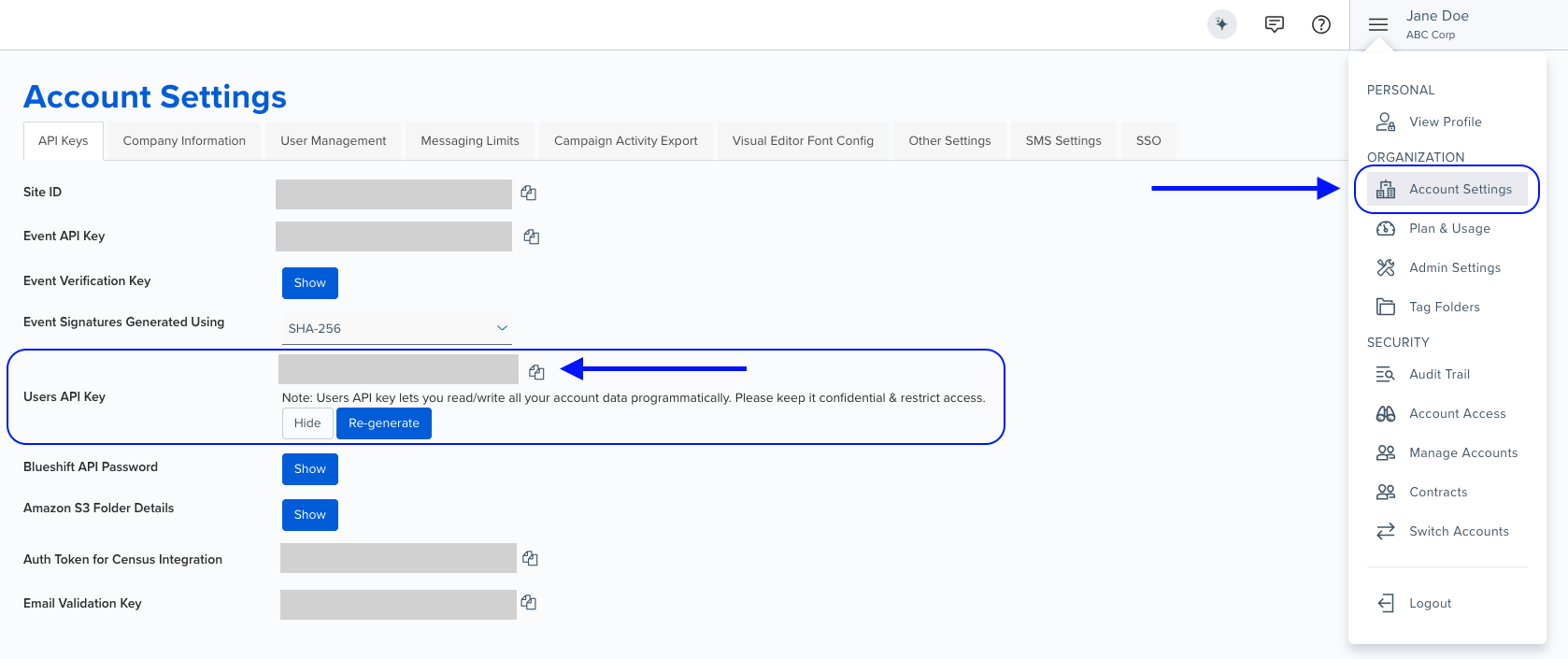
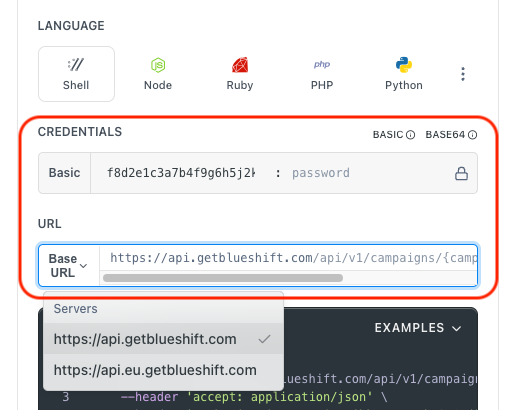
Authentication using Base64 encoding
Note for developers
API requests require authentication using HTTP Basic Authentication with an API key.
The API key serves as the username, while the password field should be left empty.
The format to encode is: your_api_key: (note the trailing colon).
This string must be Base64-encoded and included in the request's Authorization header as follows:
Authorization: Basic encoded_valueYou can generate the encoded value using a trusted Base64 encoder.
Postman collection
Try it with Postman: Explore the API using Blueshift's Postman collection.
Things to know before you start
- Finding template UUID: Template UUIDs can be found by querying the List email templates API, or from the URL when viewing a template in Blueshift:
https://app.getblueshift.com/dashboard#/email_template_studio/<TEMPLATE_UUID>/edit/info. - Personalization context: The
personalize_foruser's data is used to populate template variables (e.g.,{{user.firstname}}). - Multiple recipients: Send test emails to multiple addresses by including them in the
recipientsarray. - Email-specific parameters:
from_name,from_address, andreply_to_addressare only applicable for the email channel. See SendGrid documentation for reference. - Use case: Best for testing email templates, verifying personalization, previewing content before campaign launch, and QA testing.
Request parameters
Check out the request parameters
Body parameters
| Parameter | Type | Required | Description |
|---|---|---|---|
id | string | ✅ Yes | The UUID of the email template to send. |
personalize_for | string | ✅ Yes | Email address of the user whose personalization context to use. |
recipients | array | ❌ No | Array of email addresses to send the test email to. |
from_name | string | ❌ No | Name to use in the from field of the email (email channel only). |
from_address | string | ❌ No | Email address to use as the sender (email channel only). |
reply_to_address | string | ❌ No | Email address for customer replies (email channel only). |
Example requests & responses
Send a test email
Request
curl --request POST \
     --url https://api.getblueshift.com/api/v1/email_templates/test_send.json \
     --header 'accept: application/json' \
     --header 'authorization: Basic <YOUR_API_KEY>' \
     --header 'content-type: application/json' \
     --data '{
       "id": "9da0744e-1234-5678-85d7-abcd4ac745b",
       "personalize_for": "[email protected]",
       "recipients": [
         "[email protected]",
         "[email protected]"
       ],
       "from_name": "Blueshift Support",
       "from_address": "[email protected]",
       "reply_to_address": "[email protected]"
     }'
Response
{
  "status": "OK"
}OK