
Use this endpoint to get the details of one catalog at a time.
API at a glance
Description: This API retrieves the details of a specific catalog in your Blueshift account including UUID, name, type, upload method, update frequency, column mappings, and last processed timestamp.
Authentication & testing
Testing the API on this page
How to try it here
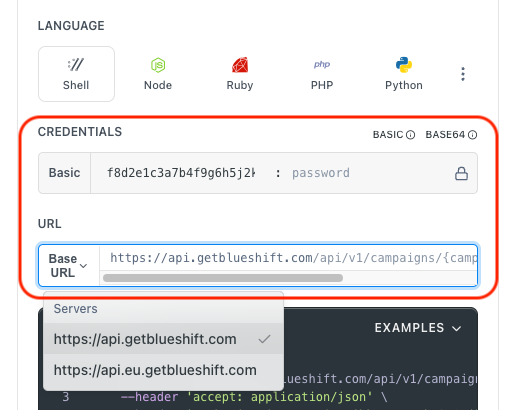
- Use your User API Key as the Username (leave Password blank).
- Select the appropriate API endpoint based on your Blueshift region.
- Enter the necessary parameters and click Try It to run the request.
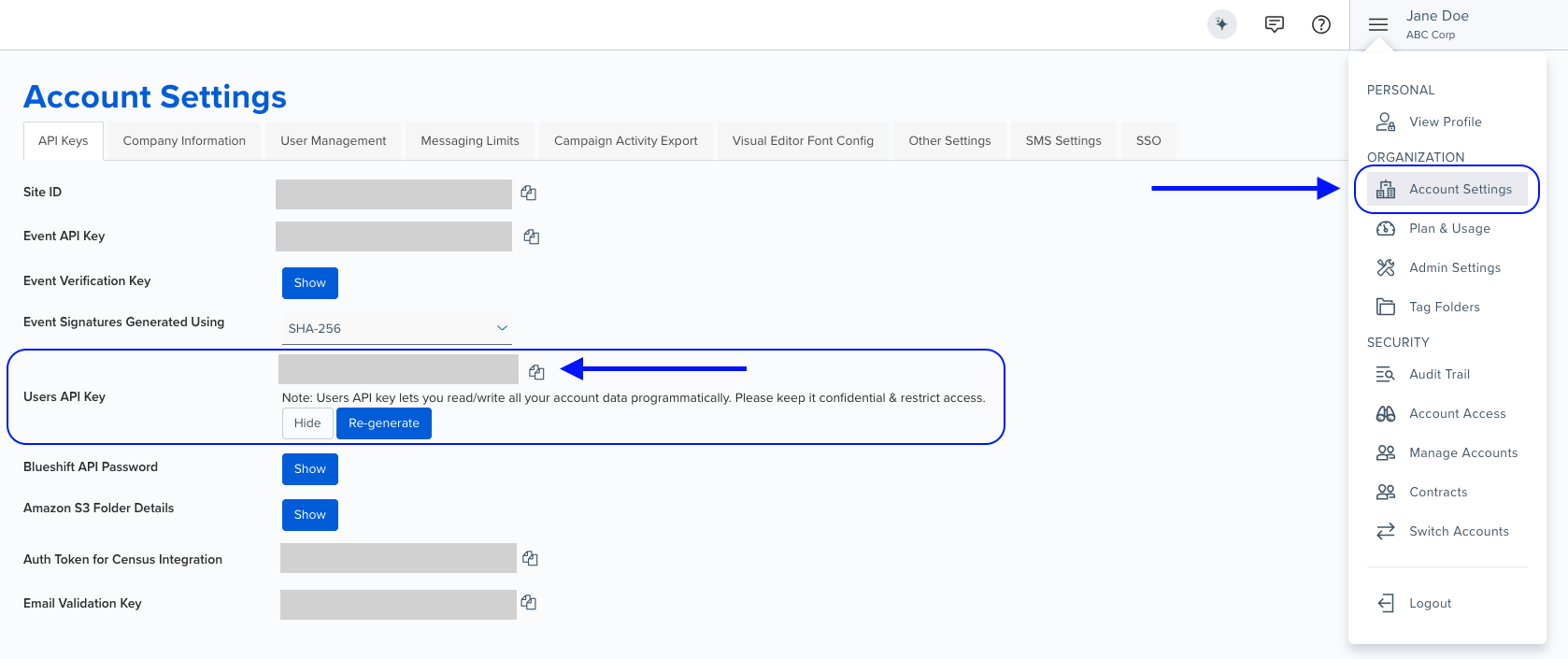
Authentication using Base64 encoding
Note for developers
API requests require authentication using HTTP Basic Authentication with an API key.
The API key serves as the username, while the password field should be left empty.
The format to encode is: your_api_key: (note the trailing colon).
This string must be Base64-encoded and included in the request's Authorization header as follows:
Authorization: Basic encoded_valueYou can generate the encoded value using a trusted Base64 encoder.
Postman collection
Try it with Postman: Explore the API using Blueshift's Postman collection.
Things to know before you start
- Rate limit: We recommend limiting API calls to 5 per second.
- Use case: Best for retrieving catalog configuration, auditing catalog settings, and integrating catalog metadata with external systems.
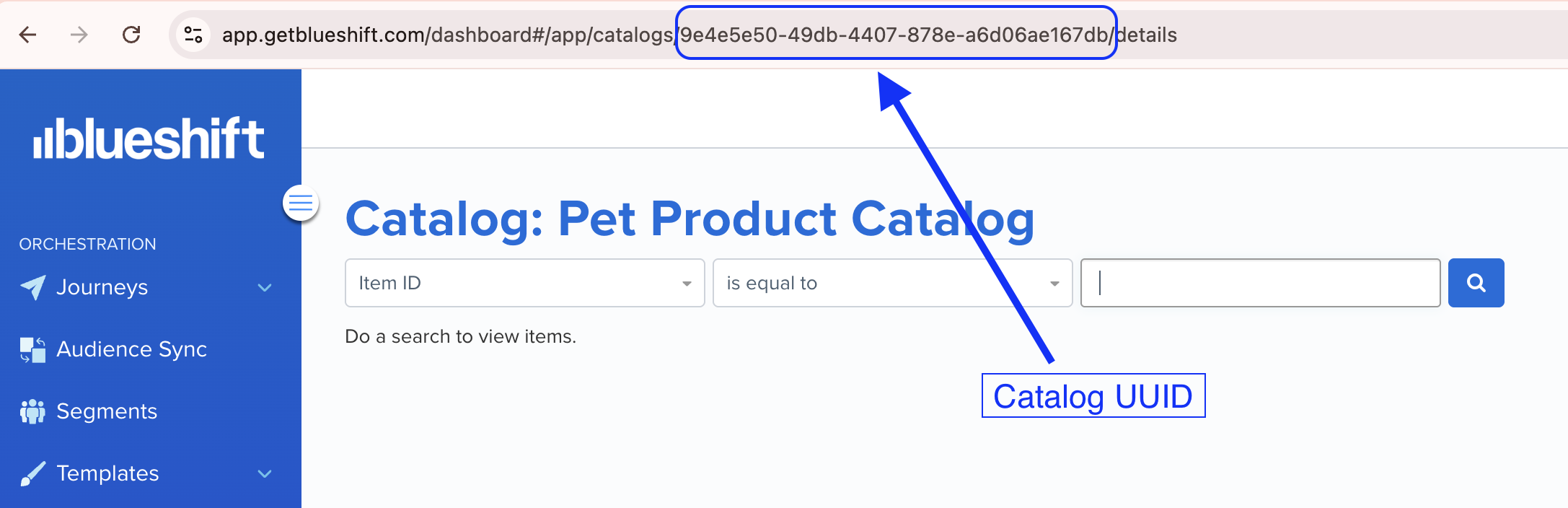
Finding the catalog UUID > >You can find the catalog UUID in the URL when viewing a catalog in the Blueshift app. For example, if you open a catalog in the Blueshift app, its URL looks like
https://app.getblueshift.com/dashboard#/app/catalogs/<CATALOG_UUID>/details.
Request parameters
Check out the request parameters
Path parameters
| Parameter | Type | Required | Description |
|---|---|---|---|
catalog_uuid | string | ✅ Yes | UUID of the catalog to retrieve details for. |
Example requests & responses
Get catalog details
GET /api/v1/catalogs/{catalog_uuid}.json{
"uuid": "1234asdfjh-asdfjh123425-asdjk1234",
"name": "Winter Collection",
"catalog_type": "ecommerce",
"url": "https://example.com/catalog",
"upload_method": "api",
"update_frequency": 3600,
"product_price_column_name": "price",
"product_name_column_name": "title",
"product_id_column_name": "sku",
"product_image_column_name": "image_url",
"product_msrp_column_name": "msrp",
"product_url_column_name": "product_url",
"last_processed": "2024-10-03T04:58:34.000Z"
}You can upload maximum 100 products in one api call - The server is refusing to process a request because the request payload is larger than the server is willing or able to process.
Unprocessable Entity - Some/all of the products have invalid data, please check the response for more information on.
Rate limit exceeded - Too many requests
Internal Server Error - Please contact blueshift for more information
Service unavailable, please retry - Bad Gateway, re-try with exponential backoff
Service unavailable, please retry - Service Unavailable, re-try with exponential backoff
Service unavailable, please retry - Gateway Timeout, please re-try with exponential backoff