
Use this endpoint to fetch the most recent event. It returns the latest events our server has received for each event type.
API at a glance
Description: This API fetches the most recent event received by the Blueshift server. It returns the latest event data for each event type, useful for debugging and testing event integrations.
Authentication & testing
Testing the API on this page
How to try it here
- Use your User API Key as the Username (leave Password blank).
- Select the appropriate API endpoint based on your Blueshift region.
- Enter the necessary parameters and click Try It to run the request.
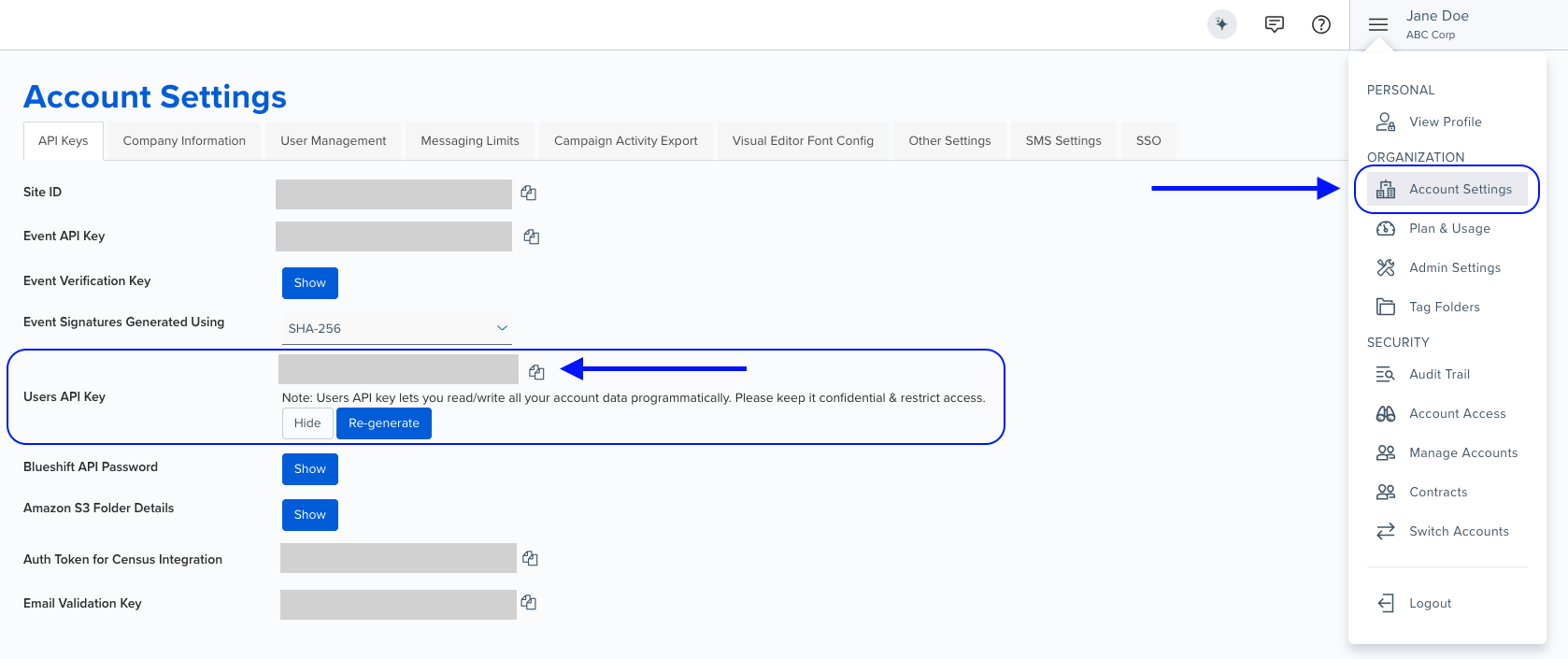
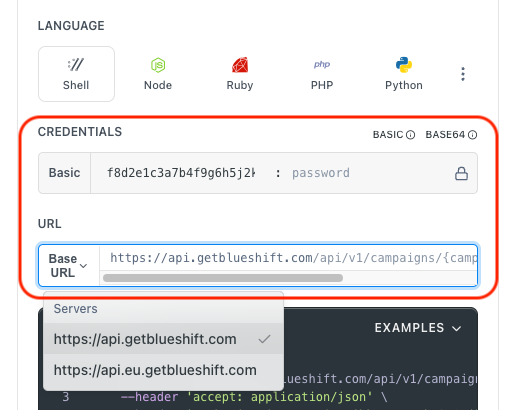
Authentication using Base64 encoding
Note for developers
API requests require authentication using HTTP Basic Authentication with an API key.
The API key serves as the username, while the password field should be left empty.
The format to encode is: your_api_key: (note the trailing colon).
This string must be Base64-encoded and included in the request's Authorization header as follows:
Authorization: Basic encoded_valueYou can generate the encoded value using a trusted Base64 encoder.
Postman collection
Try it with Postman: Explore the API using Blueshift's Postman collection.
Things to know before you start
- Debug endpoint: This endpoint is primarily used for debugging and testing event tracking implementations.
- No parameters required: This is a simple GET request with no query or body parameters.
- Latest event only: Returns only the most recent event received by the server for each event type.
- Use case: Best for verifying that events are being received correctly, testing event payloads, and debugging event tracking issues.
Request parameters
This endpoint does not require any parameters.
Example requests & responses
Get most recent event
Request
curl --request GET \
     --url https://api.getblueshift.com/api/v1/event/debug \
     --header 'accept: application/json' \
     --header 'authorization: Basic <YOUR_EVENT_API_KEY>'
Response
{
  "customer_id": "812123",
  "event": "identify",
  "device_type": "ios",
  "device_tokens": "49244924492449244924492449244924492449244924",
  "device_id": "8abe3faa-d48d-4e4a-00ca-beae01f1c987",
  "device_idfa": "4d031ed8-c40e-57d4-9c99-a3e308d8cd78",
  "device_idfv": "6d031ec8-e40c-47d4-9c99-b3e308d8ed78",
  "device_manufacturer": "apple",
  "os_name": "ios",
  "network_carrier": "verizon",
  "ip": "123.123.123.123",
  "email": "[email protected]",
  "latitude": "212.99333",
  "longitude": "-12.39334"
}