
post
https://api.getblueshift.com/api/v1/catalogs
Create a catalog in Blueshift.
API at a glance
Description: This API creates a new catalog in your Blueshift account. Catalogs are used to organize and manage product data for recommendations and personalization.
Authentication & testing
Testing the API on this page
How to try it here
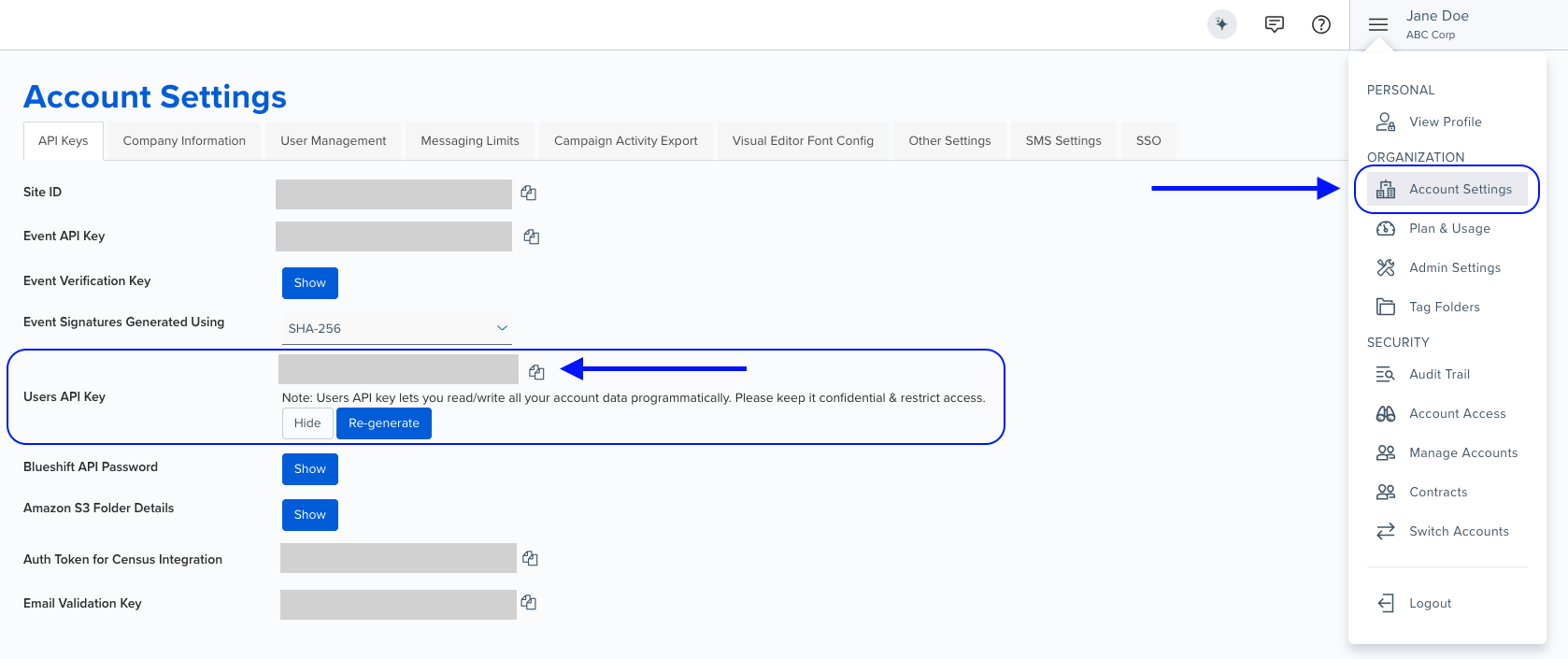
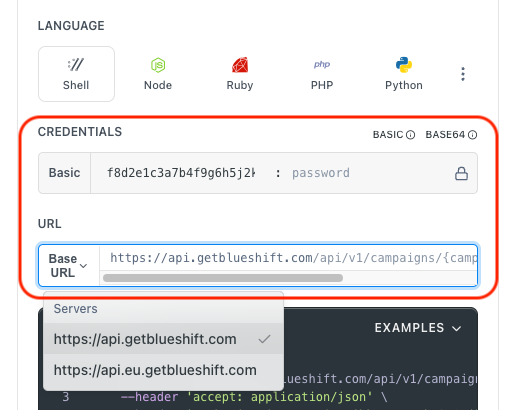
- Use your User API Key as the Username (leave Password blank).
- Select the appropriate API endpoint based on your Blueshift region.
- Enter the necessary parameters and click Try It to run the request.
Authentication using Base64 encoding
Note for developers
API requests require authentication using HTTP Basic Authentication with an API key.
The API key serves as the username, while the password field should be left empty.
The format to encode is: your_api_key: (note the trailing colon).
This string must be Base64-encoded and included in the request's Authorization header as follows:
Authorization: Basic encoded_valueYou can generate the encoded value using a trusted Base64 encoder.
Postman collection
Try it with Postman: Explore the API using Blueshift's Postman collection.
Things to know before you start
- Unique name required: The catalog name must be unique across your account.
- Use case: Best for setting up product catalogs, organizing merchandise data, and enabling product recommendations.
Request parameters
Check out the request parameters
Body parameters
| Parameter | Type | Required | Description |
|---|---|---|---|
catalog | object | ✅ Yes | Catalog object. See structure below. |
Catalog object
| Parameter | Type | Required | Description |
|---|---|---|---|
name | string | ✅ Yes | Specify a unique name for the catalog. |
Example requests & responses
Create a catalog
{
  "catalog": {
    "name": "Winter Collection"
  }
}
{
"catalog_uuid": "0215377e-71c2-4a4f-8ec2-3a7d04ad0461"
}